Subtotal: Rs.0



Ankit Bathri
3+ Courses 200+ Students
Meet your instructor for the “KINEMASTER VIDEO EDITING MASTERY” –Ankit Bathri With over 3 years of experience in Video Editing. The Kinemaster video editing course instructor is an experienced professional who knows a lot about Kinemaster. He teaches easy-to-understand video editing techniques and creative tips to help you become confident and skilled in making videos with Kinemaster.
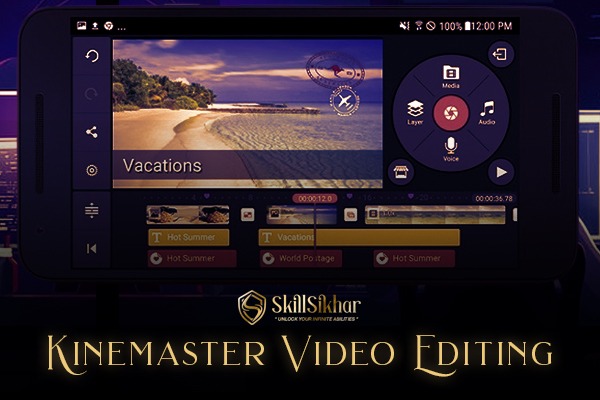
A Kinemaster video editing course teaches you how to use the app's features for mobile video editing. You’ll learn basic and advanced techniques, including cutting, adding effects, and exporting videos, enhancing your skills for creating professional-quality content.
What will you learn ?
In a Kinemaster video editing course, you will learn:
App Interface: Navigating Kinemaster's tools and layout.
Basic Editing: Cutting, trimming, and merging video clips.
Transitions: Adding and adjusting transitions between clips.
Layers: Using video, image, and text layers.
Effects and Filters: Applying visual effects and color corrections.
Audio Editing: Adding and synchronizing background music and sound effects.
Text Overlays: Inserting and customizing text and titles.
Graphics and Stickers: Adding and animating graphics and stickers.
Speed Adjustments: Altering playback speed and creating slow-motion effects.
Exporting and Sharing: Exporting videos in different formats and sharing them online.
The Course Curriculum
A typical kinemaster video editing course curriculum includes:
CHAPTER - 1
00:01 About Kinemaster
02:49 Basic Features of Kinemaster ?
10:34 Video Editing Interface ?
13:30 Video Replace ?
14:08 Video Trim ?
17:18 Audio Editing Mixer ?
21:06 Video Speed Feature ?
23:40 Reverse Feature ?
24:14 PAN & ZOOM Feature ?
29:24 Video Filter ?
31:51 Adjustment ?
33:41 Clip Graphics ?
42:28 AI Style
45:06 Magic Remover ?
47:15 Volume Envelope ?
49:09 Extract Thumbnail ?
Ankit Bathri
3+ Courses 200+ Students
Meet your instructor for the “KINEMASTER VIDEO EDITING MASTERY” –Ankit Bathri With over 3 years of experience in Video Editing. The Kinemaster video editing course instructor is an experienced professional who knows a lot about Kinemaster. He teaches easy-to-understand video editing techniques and creative tips to help you become confident and skilled in making videos with Kinemaster.

Add a review