Subtotal: Rs.0



Ritesh Kumar
3 Courses 200+ Students
Meet your instructor for the "VN Video Editing Tutorial Course," Ritesh Kumar. With extensive experience in video production and editing,He provide practical insights and expert guidance to help you master VN Video Editor effectively
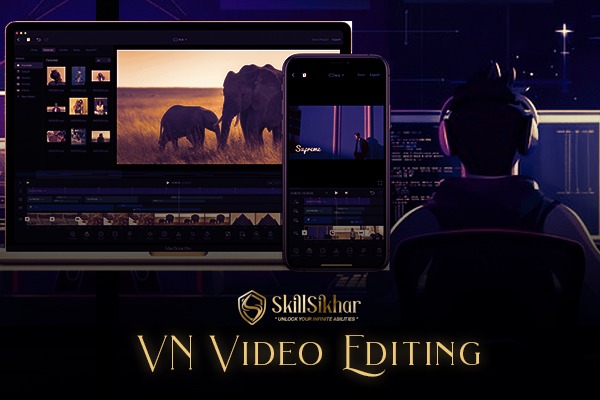
The "VN Video Editing Tutorial Course" is designed to teach you how to create professional-quality videos using VN Video Editor. This comprehensive course covers the basics of video editing, including importing media, cutting and trimming clips, and adding transitions. You'll learn advanced techniques such as color correction, audio editing, and special effects. The course also includes tips for creating engaging content, optimizing videos for social media, and exporting projects in various formats. Ideal for beginners and intermediate users, this course provides hands-on practice and expert guidance to help you master VN Video Editor and elevate your video production skills.
What will you learn ?
Importing and Organizing Media: How to import videos, photos, and audio clips, and organize them efficiently.
Cutting and Trimming Clips: Techniques for cutting, trimming, and arranging clips to create a cohesive story.
Adding Transitions: Using transitions to enhance the flow between clips and create smooth visual effects.
Color Correction: Adjusting colors and applying filters to improve the visual quality of your videos.
Audio Editing: Enhancing audio quality, adding music, and synchronizing sound with visuals.
Applying Special Effects: Incorporating special effects, text overlays, and animations to make your videos stand out.
Exporting and Sharing: Optimizing videos for different platforms and exporting them in various formats for sharing and distribution.
Certification:-
Upon completing the "VN Video Editing Tutorial Course," you'll receive a certification validating your skills in video editing, enhancing your resume, recognizing your achievement, and increasing your credibility as a proficient video editor.
The Course Curriculum
The "VN Video Editing Tutorial Course" curriculum includes importing and organizing media, cutting and trimming clips, adding transitions, color correction, audio editing, special effects application, and exporting videos in various formats for sharing.
Module - 1 Install the app latest version vn editing
Module - 2 Basic understanding & overview
Module - 3 How to import a video in vn app
Module - 4 Tools for video editing & assets
Module - 5 Green screen remove & change the background video
Module - 6 Colour grading with help black shadow png by vn editing
Module - 7 Game of texting in video by vn editing
Module - 8 Sound & cut effect sound editing in video by vn app
Module -9 Editing all over tools explore in vn app
Module - 10 How to export the video after editing in vn editing app
Module - 11 How edit professional video editing using vn app
Ritesh Kumar
3 Courses 200+ Students
Meet your instructor for the "VN Video Editing Tutorial Course," Ritesh Kumar. With extensive experience in video production and editing,He provide practical insights and expert guidance to help you master VN Video Editor effectively


Add a review